
Category: AI · 5 min read
Cloud
Planning a cloud migration? Use this practical checklist to assess your systems, choose the right approach, control costs and move with minimal downtime.
By KawiITHub Team6 min read
Moving to the cloud can reduce infrastructure costs, improve reliability and make it easier to scale – but only when the migration is well planned. Many cloud projects go over budget or cause downtime because teams move first and plan later.
Whether you are moving to AWS, Microsoft Azure or Google Cloud, this checklist covers the steps we follow to make cloud migrations predictable, secure and cost-effective.
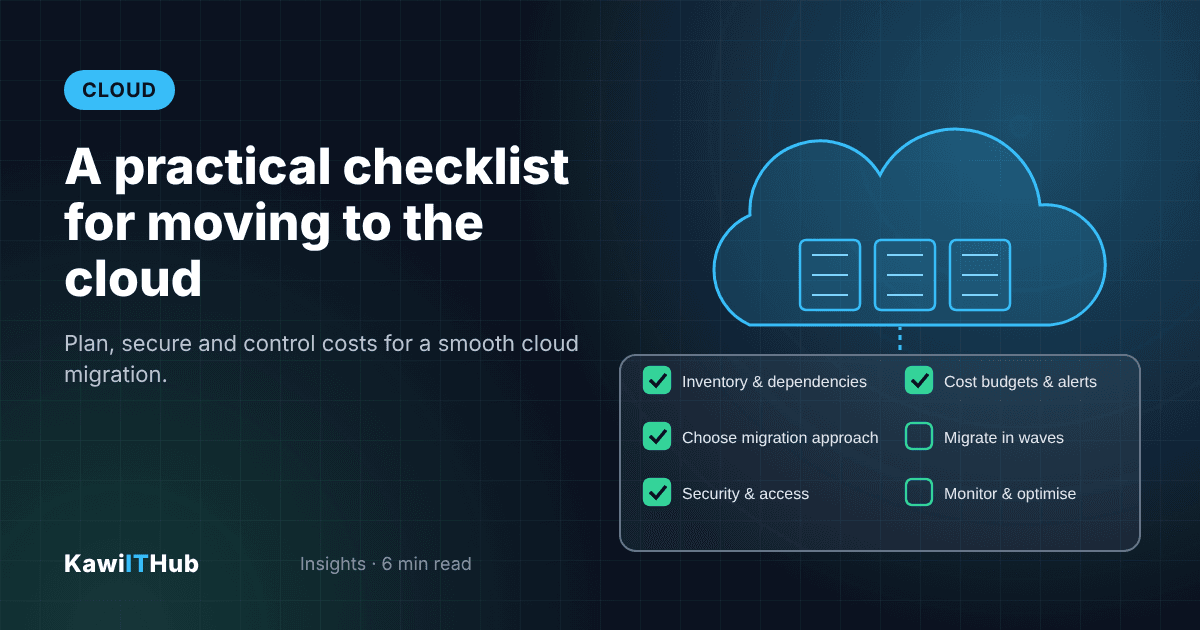
Start by building a complete inventory of what you run today: applications, databases, servers, storage, integrations, scheduled jobs and who uses each of them. Map the dependencies between them – an application that looks simple may rely on a file share, an old reporting database or a hard-coded IP address.
Next, decide the migration approach for each application. Some can be moved as they are ("lift and shift"), some benefit from small changes such as switching to a managed database ("replatform"), and some are worth redesigning to use cloud-native services ("refactor"). A few may be better retired or replaced with a SaaS product.
Finally, set up the foundations before moving any workloads: accounts and environments, network design, identity and access management, security policies, backups, monitoring and a tagging strategy so every cost can be traced to a project or team.
Move in waves, starting with a low-risk application to prove the process. For each wave, test the application in the cloud, migrate the data (with a final sync just before cut-over), agree a short change window with users, and have a tested rollback plan in case anything goes wrong.
Automate as much as possible. Infrastructure as code (such as Terraform) and CI/CD pipelines make environments repeatable and reduce manual errors. Set up monitoring and alerts before go-live so you can see performance, errors and costs from the first day.
After the move, the work continues: review costs monthly, remove unused resources, use reserved or savings plans for steady workloads, test your backups and disaster recovery, and keep improving applications to take advantage of managed cloud services.
With the right plan, cloud migration is a controlled project rather than a leap of faith. KawiITHub's Cloud & DevOps team can assess your current environment, create a migration roadmap and manage the move end to end. Contact us to get started.
Share this article
Category: AI · 5 min read
Category: Web · 4 min read
Tell us what you need. We reply within one business day.